Project Ideas
Personalized 3D Printed Name Tags: Fonts, Size and Readability
FreshSTL Editorial Team
Nov 6, 2026
3 min read
Read Next
More articles you might like
Looks like you haven't added any 3D models yet.
More articles you might like
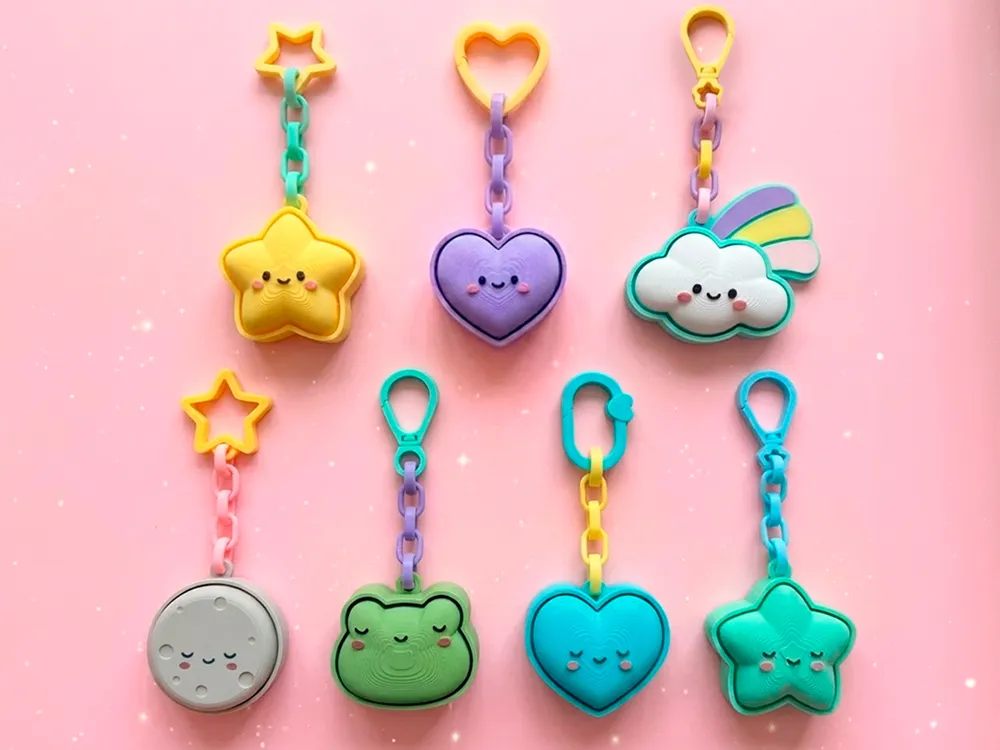
The article's cover visual, when shown, represents a FreshSTL 3D product, not a guarantee of a verified test print.
A name tag needs to be recognized at its final size, not at the scale of a zoomed-in 3D viewer. Start by measuring the backpack, key ring, desk or gift surface where the name will appear.
Allow enough space around the text. Extremely long names may require a wider tag, a shorter label or two lines. Reducing every letter to fit a fixed tiny rectangle often produces unreadable results.
Bold, uncomplicated fonts are usually friendlier to FDM printing than hairline strokes. Open counters inside letters such as A, B, O and R must remain visible after slicing. If small openings close, try a larger text size or simpler font.
Slicer preview is the most dependable check: verify that each stroke becomes a deliberate extrusion path instead of a broken or missing line.
Raised lettering can be made visibly prominent, particularly with a contrasting filament change or painted finish. Recessed lettering may protect the characters from rubbing but needs sufficient depth and width to remain readable.
Neither style automatically prints better on every orientation. Consider which face contacts the bed and whether support marks would interfere with the lettering.
For a keychain-style tag, the ring hole and the area connecting it to the label are important structural features. Round the internal transition and keep enough plastic around the opening. For a desk plaque, a stable foot or flat back may matter more.
Test the label with its actual hardware. A ring that barely fits the design in software can scratch or split a thin printed loop.
Save the chosen font, outer dimensions, filament and slicer profile. Print one full-size sample to check readability at arm's length and remove rough edges before producing several tags.
If you use a web builder, check whether the chosen model actually offers editable text and export before committing to a gift. Read keychain design and printing and explore FreshSTL keychain ideas .
Create a sample using the longest name you expect to print. Examine the design in the slicer at its final dimensions, then print it using the intended nozzle and material. Hold the finished sample at the normal distance where somebody will read it. If letters merge or appear too crowded, change the text geometry rather than relying on paint to rescue unreadable details.
Names with many narrow strokes or enclosed letters are useful stress tests. If a font fails on the longest word, choose a bolder family or widen the plaque before preparing a set of variants.
For a bag tag or keychain, the attachment loop needs to be as deliberate as the text. Round the transition between the main plate and the hole, leave enough space for the actual key ring and inspect its direction relative to the printed layers. Keep sharply raised letters away from the most exposed edges.
If the tag is merely a desk label, prioritize a stable base and legibility rather than unnecessary strength around a nonexistent ring. See 3D printed keychain construction for portable designs and how to choose STL files for model selection.
Clear, relatively thick lettering is often easier to print than delicate scripts or very thin serif details at small sizes.
Customization depends on each compatible product and its current Builder options; verify text support in the listing before planning a name-based design.